
SAFECHARGER
JHE9-40032W
Nabíjecí stanice pro elektromobily
Produkty > EV Nabíječky > JHE9-40032W
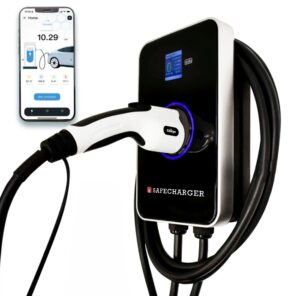
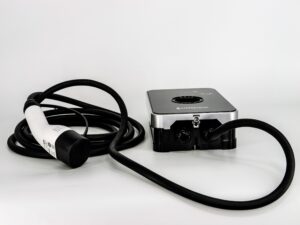
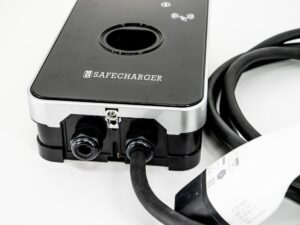
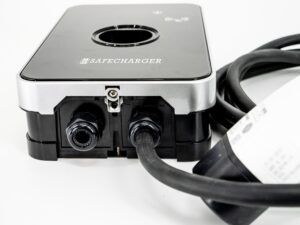
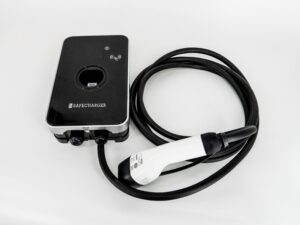
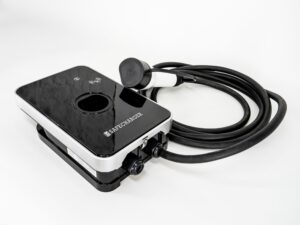
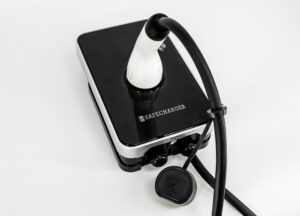


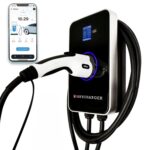
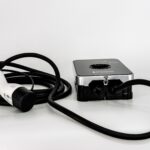


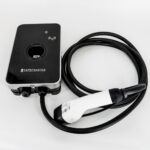
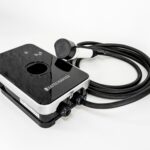
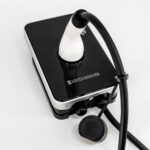
Wallbox Safecharger JHE9-40032W
Profesionální řešení pro moderní nabíjení elektromobilů
Rychlé, 1fázové i 3fázové nabíjení s výkonem až 22 kW pro každého, kdo chce maximalizovat využití fotovoltaiky a zároveň díky dynamickému řízení (DLM) inteligentně chránit hlavní jistič před přetížením.
Safecharger představuje moderní, propracovanou AC nabíjecí stanici (režim MODE 3) s výkonem až 22 kW. Tato 3fázová všestranná stanice je navržena pro rychlé a bezpečné nabíjení elektromobilů v domácnostech, firmách, bytových domech a jiné. Kombinuje elegantní design s vysokou odolností a řadou chytrých funkcí, které maximalizují využití energie z vaší fotovoltaiky a chrání vaši elektrickou síť.
Co budete potřebovat?
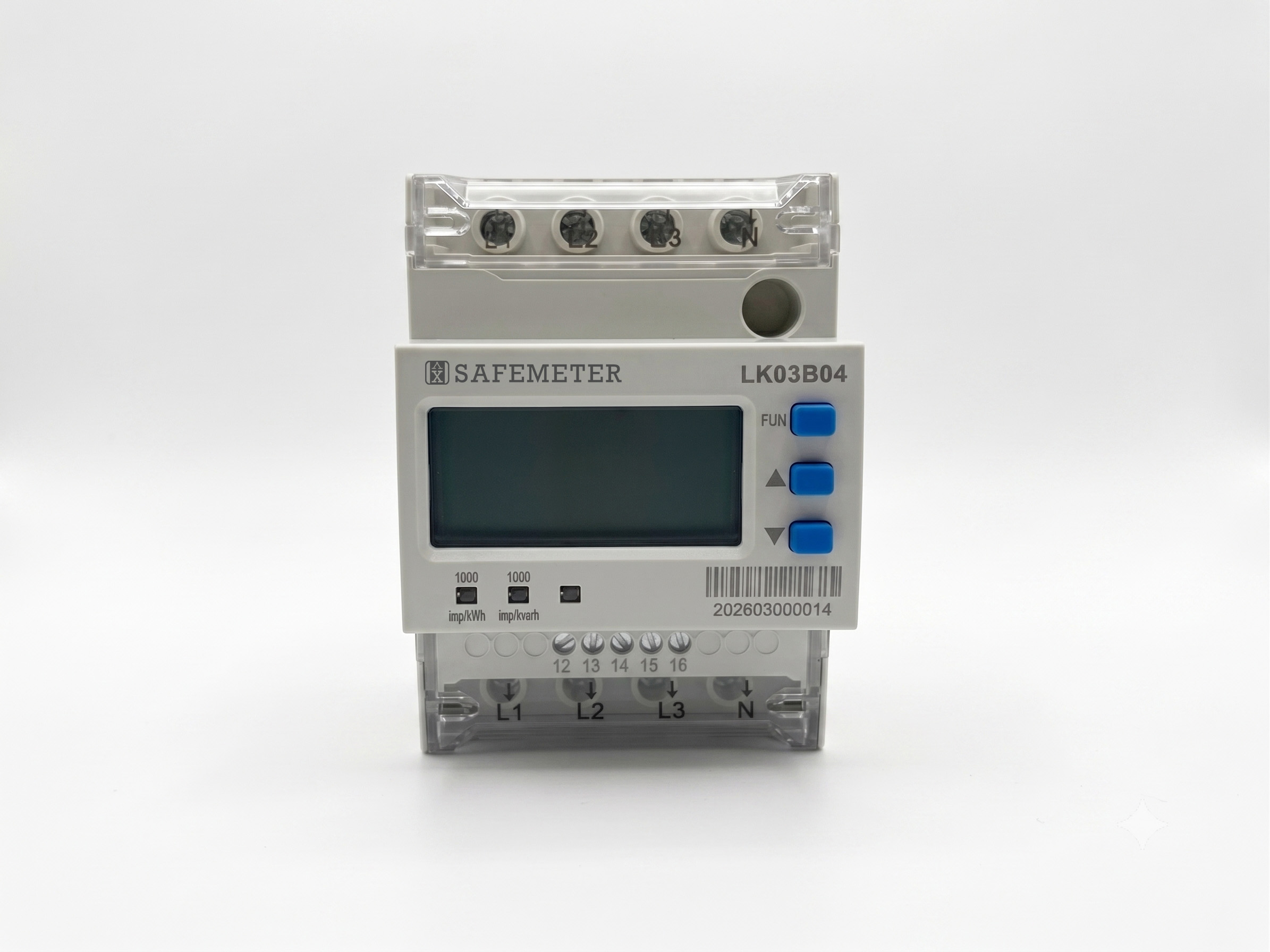
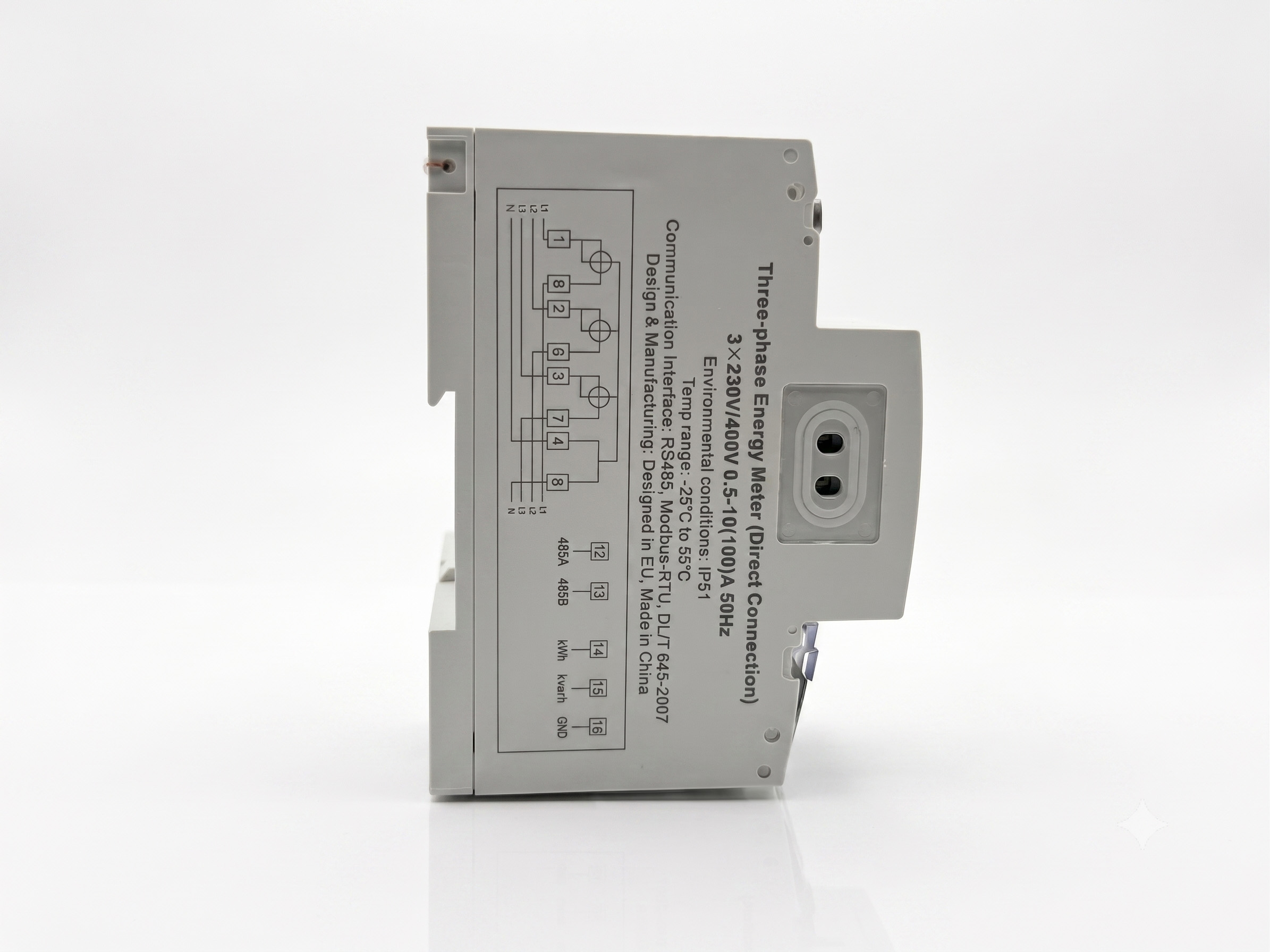
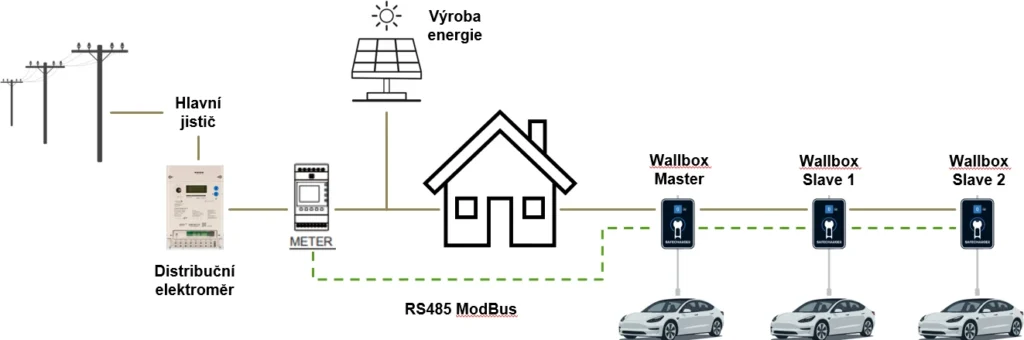
Pokud budete chtít využívat dynamických funkcí a PV nabíjení je nutné použít DIN elektroměr SAFEMETER LK03B04 (dříve DTSU8003), který není součástí balení wallboxu. Více o instalaci najdete v uživatelské příručce.



Pro nákup wallboxu nebo kompatibilního DIN elektroměru si prosím vyberte některého z našich obchodních partnerů.
Jak to funguje?
Hlavní parametry


Android / Apple iOS
Mobilní aplikace
EV Safecharger
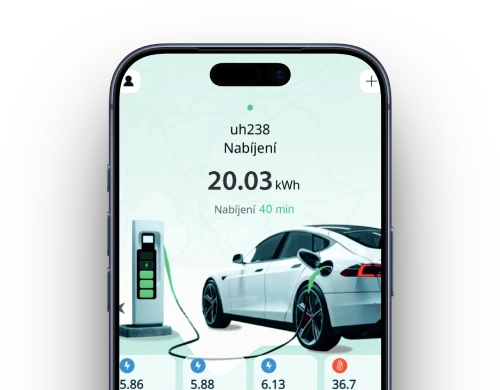
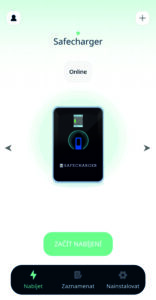
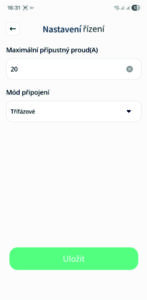
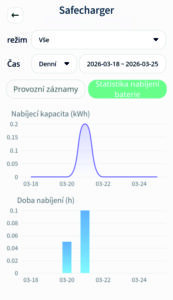
Aplikace umožňuje v reálném čase monitorovat veškeré důležité parametry, jako je aktuální nabíjecí výkon, napětí a proudy na jednotlivých fázích nebo teplota uvnitř zařízení.
Skrze intuitivní rozhraní můžete proces nabíjení nejen vzdáleně spouštět a zastavovat, ale také precizně regulovat nabíjecí proud v rozsahu 6 až 32 A s krokem po 1 A, což zajistí maximální šetrnost k vaší síti a precizní využití energie ve spojení s PV systémem či Home managementem.
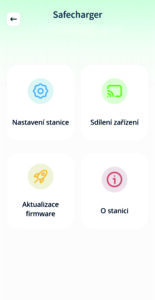
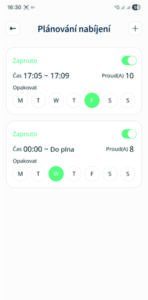
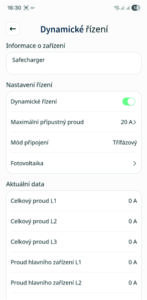
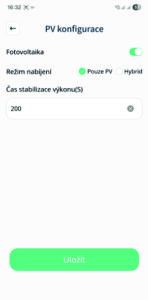
Pro maximální úsporu nákladů aplikace nabízí plánování časů nabíjení (např. pro využití nočního tarifu) a pokročilou konfiguraci pro fotovoltaiku, kde si volíte mezi úspornými režimy nabíjení. Správci jistě ocení možnost sdílení přístupu s dalšími členy rodiny či kolegy nebo nastavení dynamického řízení výkonu pro celou skupinu wallboxů.
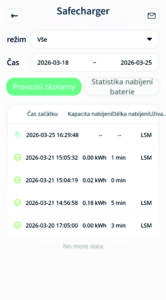
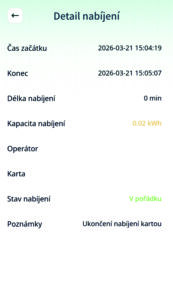
Veškerá historie nabíjení je přehledně archivována a lze ji snadno exportovat do tabulky pro účely analýzy či rozúčtování nákladů. Aplikace také zajišťuje aktuálnost zařízení díky podpoře vzdálených aktualizací firmwaru (OTA).
Jazykové mutace
Aplikace je dostupná v několika jazykových mutacích, vždy pro konkrétní trh.
Jazyková lokalizace: Čeština, angličtina, maďarština a makedonština



JHE9-40032W Detailní přehled parametrů
- Elektrické parametry
- Bezpečnost
- Komunikace
- Konstrukční parametry
- Parametry RFID
- Ke stažení
- FAQ
- Příslušenství
- Normy
- Obchodní partneři
- Novinky ve FW a SW
- Reference
| Provozní napětí | AC 230 V (1f) / 400 V (3f) ±10 % |
| Provozní frekvence | 50 ±1 Hz |
| Výstupní výkon | 22 kW |
| Spotřeba v pohotovostním režimu | <5 W |
| Jmenovitý výstupní proud | AC 32 A (nastavitelný rozsah 6–32 A, krok 1 A) |
| Provozní teplota | -40 °C až +50 °C (nad 60 °C omezení výkonu) |
| Skladovací teplota | -40 °C až +80 °C |
| Vlhkost | ≤ 95 % (bez kondenzace) |
| Nadmořská výška | 2 km |
| Izolační odpor | >10 MΩ |
| Dielektrická pevnost | Únik proudu ≤10 mA |
| Externí jistič | Vyžaduje instalaci jističe |
| Uzemňovací systém | TN-S |
| Detekce zemního spojení | Detekce zemního spojení, automatické obnovení |
| Detekce unikajícího proudu | Typ A+ 6 mA DC |
| Ochrana sítě | Přepětí / Podpětí / Přetížení |
| Ochrana výstupu | Zkrat na výstupu / Zkrat na zem |
| Proudový chránič | Integrovaný RCCB (B) + detekce 6 mA DC |
| Třída ochrany | IP55 Prachotěsné a chráněno proti tryskající vodě (garantováno při instalaci podle návodu k obsluze) |
| Mechanická odolnost | IK08 Vysoká ochrana proti vnějším nárazům a poškození |
| Měření | Bez nezávislého měřiče MID, interní měření bez MID |
| Režim zobrazení | barevný 2,8 ” LCD displej |
| Režim spouštění | automatický, manuální, pomocí RFID karty, pomocí RS485 (ModBus RTU) |
| Režim nabíjení | automatický, manuální |
| Nabíjecí kabel | konektor typu 2 , délka 5m |
| Komunikace | WiFi, RS485 (ModBus RTU, příkazy z externích systémů nebo home managementu) |
| Komunikační protokol | OCPP 1.6/2.0 (prosím kontaktujte podporu) |
| Aktualizace softwaru | OTA |
| Rozměry | 201 x 319 x 88,5 mm |
| Instalace | Montáž na zeď/stojan |
| Hmotnost | 6,1 kg (wallbox, kabel, krabice) |
| Certifikace | CE certifikace |
| Technologie autorizace | Integrovaná čtečka RFID karet, 2 ks autorizačních RFID karet v balení, další lze dokoupit |
| Pracovní frekvence RFID | 13,56 MHz |
| Max. vysílací výkon (EIRP) | -53,16 dBm |
| Správa karet | Možnost spárování až 10 unikátních RFID karet na jednu nabíjecí stanici. |
EV SAFECHARGER – Často kladené otázky (FAQ)
FAQ verze 03 (aktualizováno 5. 6. 2026)
1. Požadavky pro používání aplikace EV SAFECHARGER
Stáhněte si aplikaci EV SAFECHARGER z obchodů Google Play nebo App Store.
Při instalaci aplikace je nutné povolit všechna oprávnění požadovaná aplikací, zejména:
- Bluetooth
- Přístup k fotoaparátu
Tyto funkce jsou vyžadovány při prvotním nastavení a konfiguraci nabíjecí stanice.
Komunikace mezi mobilním telefonem a aplikací:
- nezískává ani nesleduje informace o poloze uživatele
Oprávnění pro Bluetooth a fotoaparát lze vypnout, pokud aplikaci nepoužíváte.
2. Jak přidat nabíjecí stanici do aplikace EV SAFECHARGER
- Po instalaci aplikace si vytvořte uživatelský účet
- Otevřete hlavní stránku aplikace
- Klikněte na:
- „Přidat nabíjecí stanici“ nebo
- tlačítko „+“
- Postupujte podle průvodce v aplikaci
3. Může být ke stejné nabíjecí stanici připojeno více uživatelů?
Ano.
Každá nabíjecí stanice může být přiřazena pouze k jednomu hlavnímu uživateli.
Další uživatelé mohou stanici používat pouze pokud jim ji hlavní uživatel nasdílí pomocí funkce sdílení.
4. Lze v jedné aplikaci spravovat více nabíjecích stanic?
Ano.
- V jedné aplikaci lze spravovat více stanic
- Stačí zopakovat postup přidání (viz bod 2)
- Stanice může být také nasdílena jiným uživatelem
Přepínání mezi stanicemi:
- pomocí šipek vlevo/vpravo v aplikaci
5. Jak zahájit nabíjení? 💡
Výchozí režim po vybalení:
⚡ Zapojit a nabíjet
Postup:
- připojte konektor k vozidlu
- nabíjení se spustí automaticky
Ukončení nabíjení:
- přes vozidlo
- nebo automaticky po nabití
Ovládání přes aplikaci nebo RFID
Je nutné změnit režim:
Nastavení stanice → Režim nabíjení → ⚡ Start aplikací
Poté lze využívat všechny funkce aplikace.
6. Lze nastavit nabíjecí proud?
Ano, dvěma způsoby:
Na zařízení:
- 6 A / 10 A / 16 A / 32 A
V aplikaci:
- rozsah 6–32 A
- krok 1 A
Postup:
Nastavení stanice → Prostředí nabíjení → Nabíjecí proud
7. Je zaznamenáván průběh nabíjení a systémové události?
Ano.
Aplikace zaznamenává:
- čas zahájení a ukončení
- dodanou energii
- chyby a abnormality
Další možnosti:
- historie dostupná uživatelům
- export dat do tabulky (analýza, rozúčtování)
8. Proč auto nereaguje na změnu nabíjecího proudu?
Možná příčina:
👉 Aktivní funkce ve vozidle:
- „Snížení nabíjecího proudu“
- „eco / šetrný režim“
Řešení:
- vypnout tuto funkci v autě
Důležitá poznámka
- každé vozidlo má specifické nastavení
- doporučeno:
- prostudovat manuál
- případně aktualizace SW v servisu
9. Proč se nabíjení spustí ihned i v režimu „Start aplikací“?
Pravděpodobná příčina:
👉 Aktivní plánované nabíjení (časovač)
- má nejvyšší prioritu
- přepisuje:
- nastavený maximální proud
10. Můžu pro wallbox použít jakýkoliv DIN elektroměr?
Ne.
Je nutné použít:
- model kompatibilní s komunikačním protokolem wallboxu
👉 doporučení:
- kontaktujte prodejce
11. Mohu využívat dynamické funkce bez DIN elektroměru?
Ne.
Tyto funkce vyžadují:
- fyzické připojení elektroměru
Použití:
- řízení zátěže
- solární optimalizace
12. Co znamená „Meter ERR“?
Význam:
- aktivní dynamické řízení
- ale:
- elektroměr není připojen
- nebo je špatně zapojen
Typická chyba:
- prohozené svorky A/B (RS485)
13. Co znamená blikající Wi-Fi symbol?
Možné příčiny:
- slabý signál
- nestabilní připojení
Správný stav:
- trvalé svícení = OK
Doporučení:
- restart Wi-Fi
- kontrola sítě
- restart wallboxu
14. Nelze odpojit konektor z auta
Důvod:
- vozidlo konektor během nabíjení uzamkne
Řešení:
- nejprve ukončit nabíjení:
- aplikace
- infotainment vozidla
15. Auto se po připojení nezačne nabíjet
Zkontrolujte:
👉 infotainment vozidla:
- AC nabíjení (MODE 3) může být:
- vypnuto
- blokováno časovačem
Po povolení:
- nabíjení se spustí automaticky
📚 Dokumentace
Veškerá dokumentace:
https://safemeter.com/produkty/ev-nabijecky-cs/jhe9-40032w/
📩 Technická podpora
Nenašli jste odpověď?
Kontaktujte nás:
| DIN elektroměr | Nezbytný prvek pro aktivaci dynamického řízení zátěže (DLM) a chytrého nabíjení z FVE Kompatibilní model DIN elektroměru SAFEMETER LK03B04 (dříve DTSU8003) |
| RFID karta | Náhradní karta |
| Nabíjecí standardy a výkon | |
| IEC 61851-22 | Definice specifických výkonnostních kritérií pro AC nabíjecí stanice. |
| Vzdálená správa | Podpora protokolů pro integraci do chytrých sítí a budov (ModBus RTU). |
| Dielektrická odolnost a izolace | |
| IEC 60664 / IEC 60664-1 | Zkouška výdržného napětí, izolačního odporu a dodržení volných průchozích vzdáleností. |
| IEC 61180-1 | Zkouška impulzní dielektrické odolnosti (1,2/50 μs) pro ochranu proti napěťovým špičkám. |
| Integrovaná ochrana | Systém doplňuje ochrana proti přepětí, podpětí a zkratu spolu s chráničem RCCB (B) s detekcí 6 mA DC |
| Odolnost prostředí a mechanické zkoušky | |
| IEC 60529 (Krytí IP) | Potvrzení stupně krytí IP55 (ochrana proti prachu a tryskající vodě) |
| IEC 60068-2-75 (Náraz) | Potvrzení mechanické odolnosti IK08 |
| IEC 60068-2-78 / IEC 60068-2-30 | Nepřetržité i cyklické zkoušky vlhkým teplem pro garantovanou funkčnost v exteriéru i interiéru |
| Elektromagnetická kompatibilita (EMC) | |
| IEC 61000-6-3 | Zkoušky emisí (elektromagnetické rušení). |
| IEC 61000-6-1 | Zkoušky odolnosti proti vnějšímu elektromagnetickému rušení. |
 | Autostyl a.s. Prodejce a servis vozů – zde můžete koupit náš wallbox |
 | Cube IT a.s. Chytré řízení pro novou éru energetiky – zde můžete koupit náš wallbox – náš wallbox je plně kompatibilní s řešením Cubee |
 | Loxone s.r.o. Komplexní systém chytré domácnosti a automatizace budov – náš wallbox je plně kompatibilní s Loxone |
 | E-shop autonabijeni.cz – zde můžete koupit náš wallbox – montážní společnost |
 | E-shop natankujev.cz – zde můžete koupit náš wallbox – montážní společnost |
 | Sophistio s.r.o. Inteligentní řízení pro Vaše energie – náš wallbox je plně kompatibilní s řešením Sophistio |
 | TOPERCZ revize s.r.o. Elektroinstalace NN, VN tř.A,B, revize elektro, dálkové odečty, monitoring LDS, FVE, stavby, rekonstrukce Specializace Ex prostředí – zde můžete koupit náš wallbox – montážní společnost |
 | TT Green life s.r.o. Fotovoltaika, bateriová uložiště, sdílení energie, řízení příkonů, výroba rozvaděčů – zde můžete koupit náš wallbox – montážní společnost |
| FW | Popis FW wallboxu JHE9-40032W |
| V1.01 | Počáteční verze |
| V1.02 – V1.03 | Interní testovací a vývojové verze |
| V1.04 | 1. Rozšíření sady příkazů pro rozhraní RS485. Nyní je k dispozici plná podpora vzdáleného ovládání prostřednictvím protokolu ModBus RTU 2. Zpřístupněna informace o verzi firmwaru přímo v rozhraní aplikace 3. Nová funkce vzdáleného restartu: Po dálkovém ukončení nabíjení skrze aplikaci je nyní možné proces znovu spustit bez nutnosti fyzického odpojení a opětovného zapojení nabíjecího konektoru |
| V.105 | Optimalizace síťové konektivity a způsobu přihlašování ke cloudu |
| V1.06 | Sjednocení parametrů RS485: Výchozí nastavení komunikace bylo upraveno na standard 9600 bps (8N1), což zaručuje plnou kompatibilitu s většinou moderních energetických manažerů a prvků chytré domácnosti |
| V1.07 | Implementovali jsme vylepšený algoritmus pro precizní regulaci nabíjecího proudu po 1A |
| V1.08 | Přidána funkce automatické detekce poruch výstupních ochranných prvků a vylepšený systém hlášení chybových stavů |
| V1.09 | Systém byl rozšířen o inteligentní monitoring výstupních ochranných prvků. Tato funkce v reálném čase prověřuje integritu vnitřních komponent zodpovědných za bezpečné usměrnění a distribuci proudu. V případě detekce jakékoli hardwarové anomálie systém automaticky zastaví proces nabíjení a skrze aplikaci EV Safecharger informuje uživatele o nutnosti kontroly zařízení, čímž předchází poškození elektroniky vozu i samotného wallboxu |
| V1.10-V1.14 | Interní testovací a vývojové verze |
| V1.15 | 1. Dynamické řízení zátěže (DLM): Wallbox v reálném čase monitoruje spotřebu objektu a automaticky upravuje nabíjecí proud tak, aby nedošlo k překročení kapacity hlavního jističe. Tato funkce zůstává plně aktivní i v režimu offline při výpadku Wi-Fi sítě. 2. Chytrá fotovoltaická funkce (PV): Umožňuje maximalizovat využití vlastní solární energie pomocí detekce přetoků do sítě. V aplikaci lze volit mezi režimy „Pouze PV“ (nabíjení čistě ze slunce) nebo „Hybridní“ (kombinace FVE a sítě). 3. Komunikace s elektroměrem: Pro využití dynamických funkcí a PV nabíjení wallbox komunikuje s podružným DIN elektroměrem prostřednictvím rozhraní RS485 a protokolu ModBus RTU. 4. Správa nabíjecích karet (RFID): Systém umožňuje spravovat až 10 unikátních karet pro různé uživatele . 5. Nastavení ModBus ID: Možnost nastavení ModBus ID přes aplikaci. 6. Plánované nabíjení: Mobilní aplikace umožňuje plánování časů nabíjení, což je ideální pro automatické spouštění procesu v časech s nízkým tarifem elektrické energie (noční proud). 7. Zobrazení datumu a času na LCD wallboxu 8. Na hlavní wallbox (Master) lze napojit až 15 podružných (Slave) wallboxů a lze je při tom dynamicky řídit |
| SW | Popis aplikace EV SAFECHARGER |
| V1.01 | Počáteční verze |
| V1.02 – V1.04 | Vylepšení zobrazení a překladů |
| V1.05 | Optimalizace stránky Charging Environment |
| V1.06 | Opravy textu rozhraní |
| V1.07 | Opravy funkcí a doplnění překladů |
| V1.08 | Optimalizace stability systému a rozhraní |
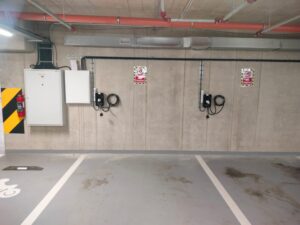
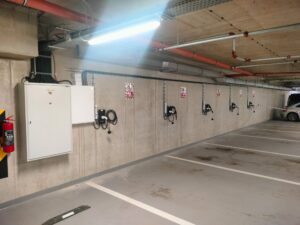
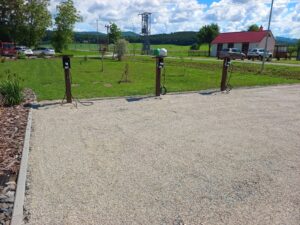
Lokalita: Praha, bytový dům, dynamické řízení zátěže, 5 wallboxů, instalační firma: TT Green Life
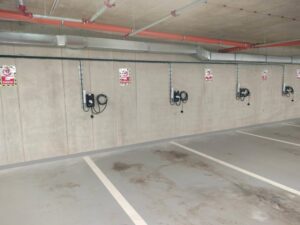
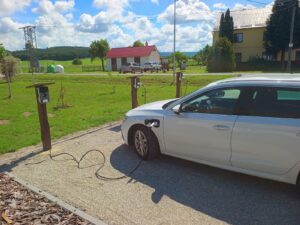
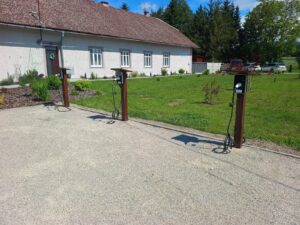
Lokalita: Mladějovice okr. Olomouc, dynamické řízení zátěže, 3 wallboxy, instalační firma: TT Green Life
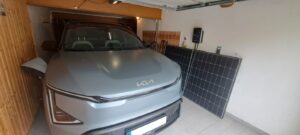
Lokalita: Louny, rodinný dům, dynamické řízení zátěže, chytré nabíjení z FVE
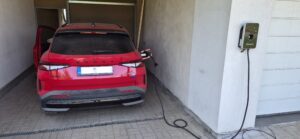
Lokalita: Česká Lípa, rodinný dům, dynamické řízení zátěže, chytré nabíjení z FVE
Výrobce:
LOGAREX Smart Metering a.s.
Podnikatelská 539
190 11 Praha 9 – Běchovice
Czech Republic
Chcete se stát našim obchodním partnerem či montážní firmou a nakupovat zboží za B2B ceny?
Neváhejte nás kontaktovat:
technická podpora: support@safemeter.com
produktový manažer Libor Křivánek: +420 605 792 196, krivanek@safemeter.com